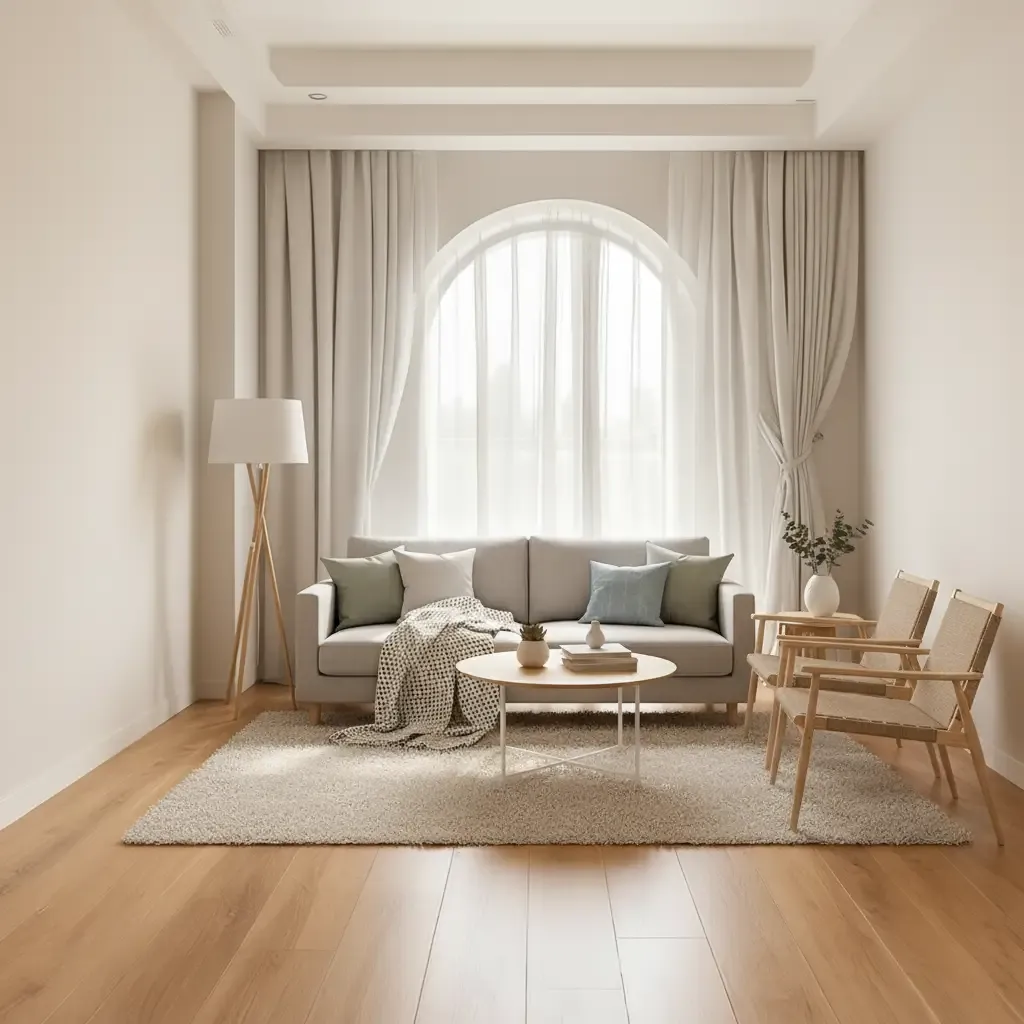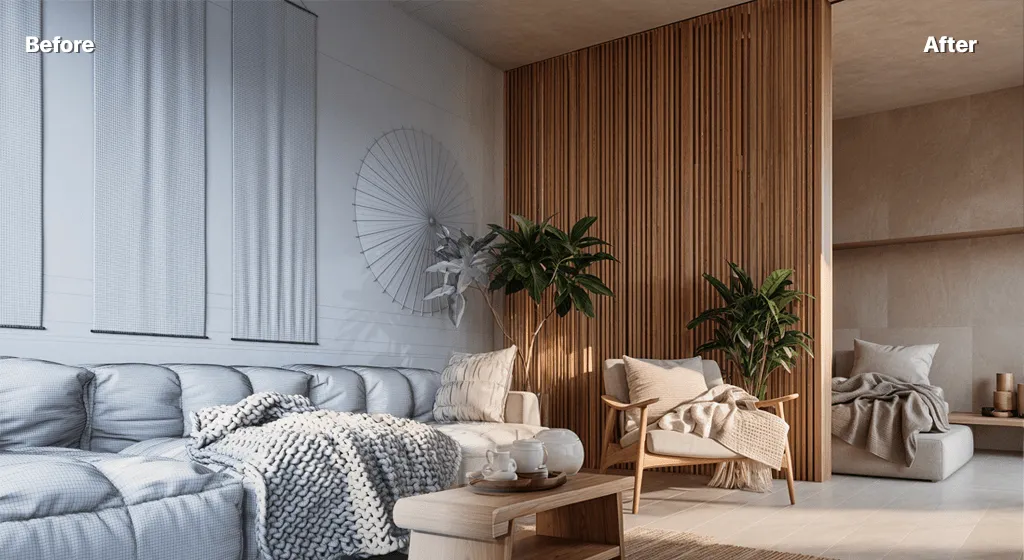
Interior design decisions often look simple from the outside. Choose a colour palette, select furniture, decide on lighting, and bring everything together. In practice, the process is far less straightforward. A single change in wall finish can affect the mood of the entire room, while a different lighting temperature can make the same furniture feel completely new.
That is one reason tools built around AI Interior Rendering are becoming useful during the early stages of a project. Instead of waiting until every material, fitting, and decorative detail has been finalised, designers can create visual studies much sooner. The purpose is not to let software make the design decisions. It is to make those decisions easier to see, discuss, and compare.
A Moodboard Can Only Take an Idea So Far
Moodboards are still valuable. They help define a direction through fabrics, colours, reference images, materials, and furniture styles. However, a moodboard does not always show how those elements will actually work together inside a specific room.
A beautiful timber sample may look completely different when applied across a large wall. A dark green paint colour that feels sophisticated in isolation may make a small room seem heavier than expected. Even furniture that works well individually can create an overcrowded layout when everything is placed together.
This is where visualisation becomes useful.
An interior designer can start with an image of the existing room, a model view, or another suitable visual reference and explore how different design directions might feel. It becomes easier to judge whether the concept is moving in the right direction before spending time developing every detail.
Seeing Alternatives Makes Decisions Less Abstract
Clients often struggle with decisions that are presented only through samples or descriptions.
Imagine telling someone that their living room could have “warm neutral walls, natural oak finishes, low-profile furniture, and soft indirect lighting.” An experienced designer may immediately picture the result. A homeowner may not.
Show two visual versions of that same idea, however, and the conversation becomes much easier.
One version might feel relaxed and residential. Another could look too minimal. The client might like the materials but dislike the furniture proportions. Perhaps the lighting feels too dramatic for how the room will actually be used.
Those reactions provide useful information.
The goal of visualisation is not necessarily to get an immediate “yes.” Sometimes discovering what a client does not like is equally valuable.
AI Interior Design Works Best as an Exploration Tool
The growing use of AI interior design tools has made this kind of experimentation faster. A designer can explore changes to mood, furniture character, materials, or lighting without rebuilding an entire visualisation from the beginning every time.
That speed can be particularly helpful at the concept stage.
For example, the same room could be explored in several directions:
- a restrained Scandinavian-inspired scheme;
- a warmer Japandi-style interior;
- an industrial palette with darker finishes;
- a contemporary luxury treatment;
- a softer residential concept with natural materials.
The designer does not need to develop all five ideas into complete specifications. The images can simply help identify which direction deserves further work.
That distinction is important. AI is useful for narrowing options, not for turning every generated variation into a real proposal.
Good Interior Design Still Begins With the Room
A convincing image can be distracting. If the lighting is beautiful and the styling is polished, it is easy to overlook whether the actual room works properly.
Interior design still has to respond to the physical space.
Door positions matter. So do windows, circulation paths, ceiling heights, storage needs, furniture clearances, accessibility, electrical points, and the way people will actually move through the room.
An AI-generated concept may introduce a large sofa into an area where the real dimensions do not allow one. It may add shelving to a wall that contains services or suggest lighting that would require further technical planning.
That does not make the image useless. It simply means it needs to be interpreted by a designer.
The right question is not, “Can we copy this image?”
A better question is, “Which ideas in this image are worth developing properly?”
Materials Need More Than Visual Appeal
Material exploration is one of the strongest uses of early interior rendering.
A designer may want to compare light oak against walnut, polished stone against a more textured surface, or pale walls against deeper colours. Visualising those combinations can quickly reveal which palette feels most coherent.
But material selection cannot stop at appearance.
A finish that looks excellent in a generated image may not suit a high-traffic commercial environment. A delicate surface may require too much maintenance for a family home. A particular stone may be outside the budget or difficult to source locally.
Practical material decisions still involve questions such as:
Durability: Will the finish cope with everyday use?
Maintenance: Is it easy to clean and repair?
Cost: Does it fit the available budget?
Availability: Can it actually be sourced within the project schedule?
Suitability: Is it appropriate for moisture, heat, wear, or other site conditions?
AI can help designers judge visual compatibility. Specification still requires real-world knowledge.
Lighting Can Completely Change the Same Interior
One useful aspect of digital visualisation is the ability to think about atmosphere earlier.
Take a restaurant interior as an example. In bright daylight, the materials might appear crisp and energetic. Under warmer evening lighting, the same surfaces can feel more intimate. Dark materials may become richer, while some details may disappear entirely.
Residential projects have similar issues.
A kitchen designed only around bright daytime references may feel very different in the evening when artificial lighting becomes dominant. A bedroom that looks calm in soft light could feel too cold if the material palette relies heavily on grey tones.
Exploring these moods during concept development helps designers think beyond a single idealised image.
It can also lead to better questions before the lighting scheme is developed in detail.
AI Can Make Client Meetings More Focused
One of the most practical benefits of visual exploration is that meetings can become more specific.
Instead of spending twenty minutes trying to explain what “warmer” or “more contemporary” means, a designer can discuss visible differences.
A client might say:
“The furniture in this version feels too formal.”
“I like the timber, but not on every wall.”
“Can we keep this lighting mood but make the room less dark?”
“The first option feels closer to us, although the floor should be lighter.”
Those comments are far more actionable than a general statement such as “I am not sure about the design.”
Visual references create a shared language.
They also help prevent a common problem: designer and client using the same word while imagining two different things.
Fast Rendering Should Not Lead to Endless Options
When alternatives become easier to generate, there is a temptation to create too many.
This can actually make a project harder.
If a client receives fifteen versions of the same living room, each with slightly different finishes, the number of possibilities may become overwhelming. Instead of making a decision, they begin comparing tiny differences.
A better approach is to curate.
The designer might explore many options privately but present only two or three that genuinely answer the brief. Each should have a reason for existing.
For instance:
- Option A may prioritise warmth and comfort.
- Option B may emphasise simplicity and natural light.
- Option C may test a stronger material contrast.
Now the client is choosing between design strategies rather than random images.
The speed of AI becomes useful because it supports the designer’s editing process, not because every output needs to be shown.
From AI Concept to a Real Design Scheme
Once a promising direction has been identified, the work becomes more detailed.
The designer can translate the visual idea into actual material selections, furniture dimensions, lighting specifications, drawings, joinery details, and procurement decisions.
This stage also reveals which parts of the AI-generated image are realistic and which need adjustment.
A chair may need to be replaced with a real product of suitable dimensions. A decorative wall treatment might become a buildable joinery solution. Lighting may need to be redesigned according to the ceiling construction and electrical plan.
In other words, the generated visual becomes a reference rather than an instruction sheet.
This is where professional design experience remains critical.
Different Projects Need Different Levels of Visualisation
Not every interior project requires the same process.
A small bedroom refresh may only need a few early visual studies to compare styles and colours. A large hospitality interior could involve much more detailed modelling, technical documentation, consultant coordination, and high-end final rendering.
AI-assisted visualisation can sit at different points within those workflows.
It may be used at the very beginning to test atmosphere. It might help during a client review when a material direction is being reconsidered. It can also provide a quick visual reference before more detailed rendering work begins.
The useful question is not whether AI or traditional rendering is “better.”
It is which method fits the decision being made at that moment.
The Designer Still Controls the Direction
Interior design involves far more than making a room attractive.
A successful space needs to respond to its users, location, budget, function, proportions, materials, and practical constraints. Technology can make some parts of that process faster, but it cannot understand every requirement simply by producing a polished picture.
AI rendering works best when the designer gives it a clear role.
Use it to test.
Use it to compare.
Use it to communicate.
Then apply professional judgement to decide what should move forward.
Conclusion
AI is giving interior designers a quicker way to move from an abstract idea to something that can actually be seen. That can make early material discussions clearer, give clients more confidence when comparing directions, and allow designers to test atmosphere before investing heavily in one solution.
Its value, however, depends on how it is used. A beautiful generated room is not automatically a practical interior, and a visual suggestion is not the same as a finished specification.
The strongest workflow combines fast experimentation with careful selection. AI can open up possibilities, but the designer still decides which ideas suit the room, which ones fit the brief, and which ones are realistic enough to become part of the final space.